Generate Sound Data...
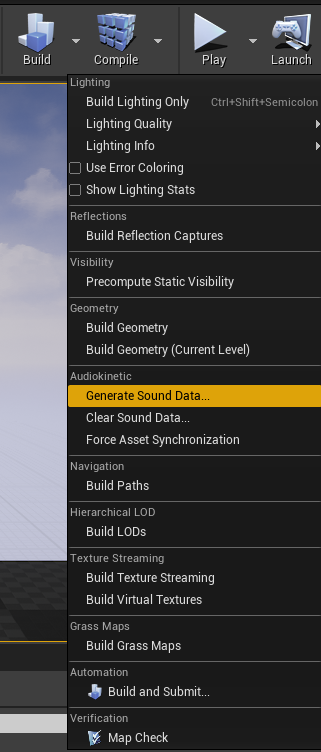
In Unreal Engine, you want to click the arrow next to “Build” at the top some-what right side. In the new menu that pops up, you want to click “Generate Sound Data…”
A menu should pop up, you want to click on “Generate”
Once it’s done, you want to click on “Save All” in the lower left of Unreal Engine, then click “Save Selected”. Then it’s time to cook! (you’re almost there) click on “File” at the top left of Unreal Engine, and click “Cook Content for Windows” and wait for it to cook.
Next Page >>